Target Acquired ! ~ Css Selectors
You are already familiar with HTML and the different elements to construct an HTML page. But modern websites are not just HTML because if they were they would look pretty simple and straightforward.
Modern websites use CSS (Cascading Style Sheet) to present their website to the internet. In this blog we would be learning about CSS selectors.
What is CSS?
If you are on this blog, you would already be familiar with CSS, but if you are not, then no worries, you would know just enough to get started.
CSS stands for Cascading Style Sheet. By default modern web browsers paints webpages with some default stylings. We overwrite the part of styling which we feel is required with our own stylings. This is also known as cascading.
Now writing CSS is no major deal but the deal is pointing which element we want to modify the styles. This is where CSS selectors come into the picture.
Without selectors, CSS wouldn’t know:
which paragraph to color
which button to style
which section to highlight
Use Selectors similar to Addressing People
There is no way to memorise the css selectors, if you can relate it to real world events. Suppose all the elements on the webpage are people and selectors are different ways to address them.
Universal Selector
If you want to select all the elements on the webpage to be affected with your CSS you need to use the universal selector. You can use the universal selector using *.
*{
margin:0;
padding:0;
}
Analogy: You want to address everyone in the room, go for the universal selector.
Element Selector
If you want to select all the elements in the HTML document, you go for the element selector. You can select elements using the element tag with the braces in the CSS file.
p{
color:'pink'
}
The above code will style every <p> tag on the page.
Analogy: You want to address only males present in the room, go for the element selector.
Moving on to the most widely used CSS selectors i.e. Class & Id.
Class Selector
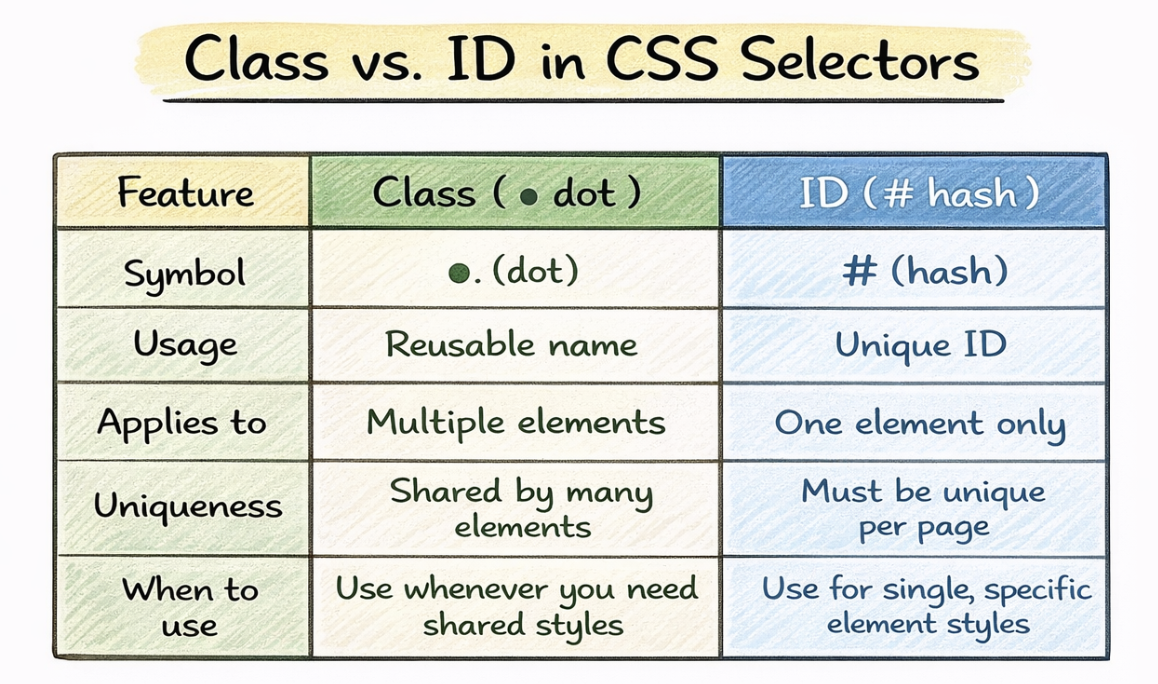
If you want to select HTML tags which belong to a particular class, you choose Class selector. You can select different classes using the .<className> with braces in the CSS file.
<p class="highlight">Hello</p>
<p>without any class</p>
<div class="highlight">
<div>
.highlight {
  color: red;
}
This styles only elements with class=”highlight”.
Analogy*: You want to address only those people who are Engineering graduates, go for class selector.*
ID selector
This is used to style one unique element present in the HTML document. It targets the elements by its id attributes.
<h1 id="main-title">Welcome</h1>
#main-title {
  font-size: 32px;
}
The only constraint is that id must be unique on a page.
Analogy*: You want to address that guy who wrote this blog, go for ID selector.*
Group
If you want similar CSS properties to be applied on multiple selectors, we can group them together and apply styles.
h1, h2, p {
  color: black;
}

.box, .card{
  color:'yellow'
}
Analogy*: you want to address the same thing to kids from section A and section B, go for group.*
Descendant
It targets elements inside another element of the HTML document
<div>
    <p>Hello reader</p>
</div>
div p{
    color:'red'
}
This will apply styles to the <p> inside the <div> tag.
Analogy*: you want to address the kids of some family, go for Descendant.*
Selector Priority
Now that you are aware of how to address different elements of HTML to our CSS, the next issue at hand is how we could resolve conflicts of how a particular CSS be applied to a particular element having combinations.
The simplest way selector priority works is when you are more specific you give more power.
In that sense you can say Inline CSS has the highest priority because it is directly attached to the HTML element.
Analogy*: You give a personal note to a person asking him to do stuff, and announce everyone the overall instructions, in such a case the person will give priority to the personal note he has.*
After Inline elements the priority is:
id → class → elements
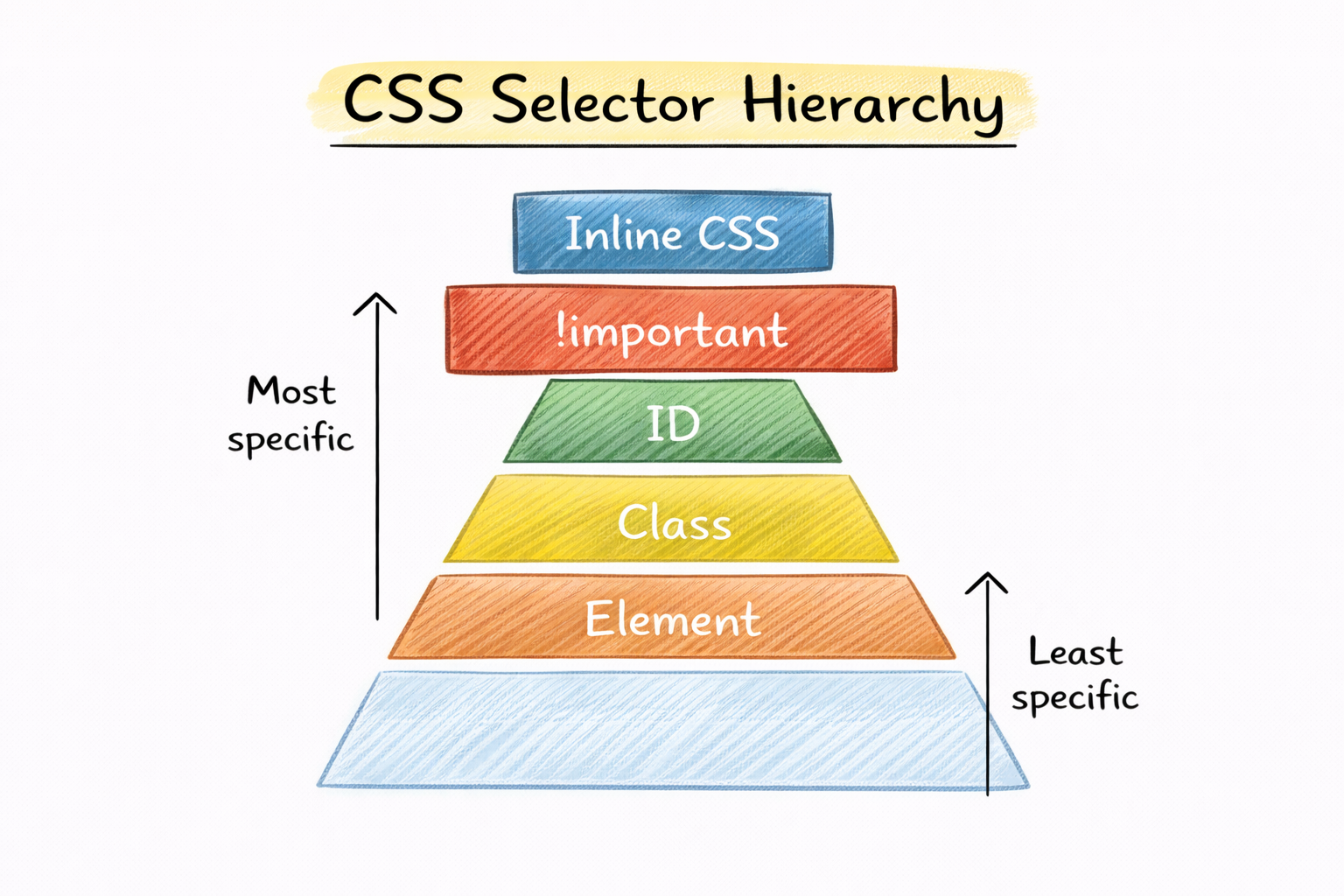
Wild Card entry → !important
!important will override every selector rule out there and enforce itself directly.
Selectors: Foundation of CSS
Like we earlier discussed, write CSS makes your websites attractive, but without knowing proper way to direct your CSS to some HTML element would be inefficient and time consuming, so it is very important to know the basic crux of CSS selectors.


