JavaScript Arrays 101
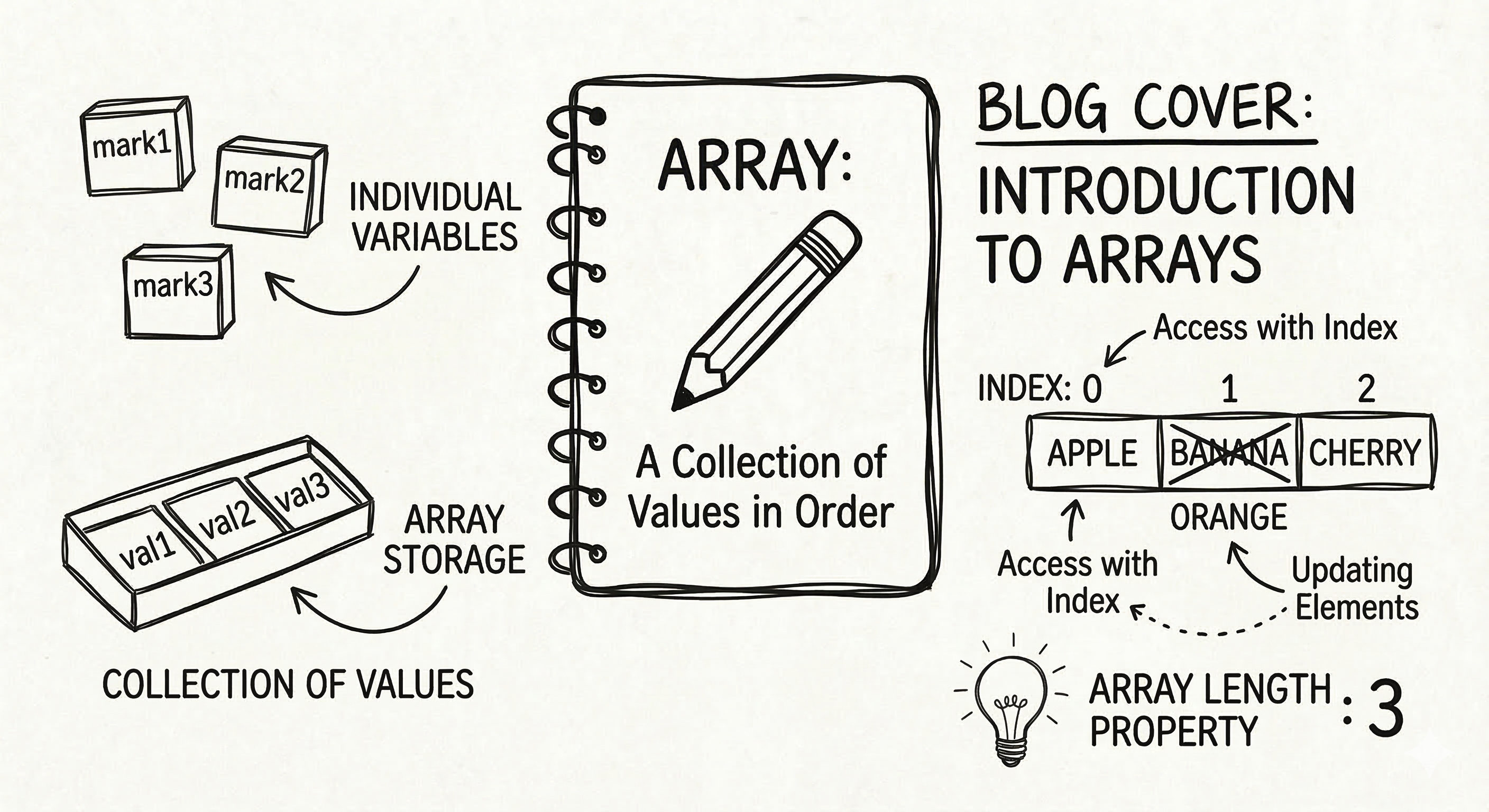
Array is a data structure which is used to store data, and unlike other programming language (C, C++ e.t.c) which can only store homogeneous data in the array, JS arrays can have heterogeneous data as well.
Before we discuss more about this, we should go through small recap of arrays in JS
Array
In Js arrays are actually objects because everything in JS is an object. Js arrays are resizable and can contain a mix of different data types. They are zero indexed and the last element is at the value of the array's length property minus 1.
Create you own Array
In JS there exists multiple ways to create an array, We would be discussing them here.
Using Array Literal Notation (Recommended)
This is the simplest, most readable, and generally preferred method for creating arrays in modern JavaScript.
const emptyArray = [];

const fruitsArray = ["mango", "dragon fruit"]
It is common practice to declare arrays using the
constkeyword, as the elements within the array are still mutable.
Using the Array() Constructor
You can also use the built-in Array() constructor with the new keyword.
const fruits = new Array("Apple", "Orange", "Plum");
If you pass a single argument while creating arrays using this method, it would create an array with empty slots of that length, e.g. below
const sparseArray = new Array(3); // Creates an array with 3 empty slots
console.log(sparseArray.length); // Output: 3
Using Static Methods
What if you wanted to create an array of a single number, you might fall in the pitfall of using the array constructor as if would simply create an array of that length when a single argument is provided.
This is where you can use Array.of()
const numbers = Array.of(1, 2, 3); // [1, 2, 3]
const oneNumber = Array.of(5);      // [5] - unlike new Array(5)
Accessing elements using index
You can access elements from an array in JS in different ways.
Using Square Bracket Notation ( [] )
THis is the most common way to access an element from an element, you just need to provide the the index of value which you are aiming for.
const fruits = ["Banana", "Orange", "Apple", "Mango"];
// Arrays are zero-indexed, meaning the first element is at index 0.

console.log(fruits[0]); // "Banana"
console.log(fruits[1]); // "Orange"
console.log(fruits[2]); // "Apple"
console.log(fruits[3]); // "Mango"
console.log(fruits[99]); // undefined (if the index is out of bounds)
To access the last element of the array, you can take help of Array.length property.
const lastFruit = fruits[fruits.length - 1];
console.log(lastFruit); // "Mango"
Using the .at() method
The at() method provides a modern, cleaner way to get the array's elements, especially the ones at the end of the array by supporting negative indices.
Earlier we were getting the last element of the array using the length property. We can simply do the same using at().
const fruits = ["Banana", "Orange", "Apple", "Mango"];

console.log(fruits.at(0)); // "Banana" (same as fruits[0])
console.log(fruits.at(-1)); // "Mango" (the last element)
console.log(fruits.at(-2)); // "Apple" (the second to last element)
Accessing Elements in Nested Arrays
Suppose you have arrays nested inside another array. In such a case you simply need to chain the square bracket notations for each level of depth.
const edibles =[
  ["apples","mango"],
  ["cucumber","spinach"]
]

console.log(edibles[0][1]) //"mango"
Finding Specific Elements with Methods
The Array() in JS provides a good range of methods which one could use to access some specific elements inside it.
find() : it returns the value of the first element that satisfies the given callback function, or undefined if none is found.
filter(): it returns a new array with all the elements that pass the test function provided to it.
indexOf() : it returns the first index at which a given element can be found in the array or -1 if it is not present.
Updating Elements in Arrays
Just like we have different options available to fetch for an element in the JS array, there are mutliple ways to update them as well, however the scope of this blog is to discuss the basics, and the others which are a lil bit less basic would be discussed in some other blog.
You can update an element in the array using direct assignment, by updating value at the known index.
let arr = [1, 2, 3];
arr[1] = 5; // arr is now [1, 5, 3]
Why use an Array?
Apart from the case that arrays are fun to use, the other most common reason behind using them would be because if we do not use them then we need to handle the values individually in different variables.
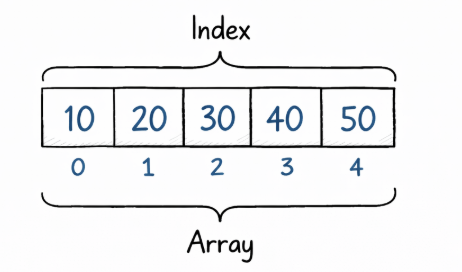
let a = 10;
let b = 20;
let c = 30;
let d = 40;
let e = 50;

let numbers = [10, 20, 30, 40, 50]
Conclusion
The scope of this blog was only to discuss the basics of array in JS, we shall be covering more of it in detail in future blogs, so stay connected !


