The Node.js Event Loop Explained
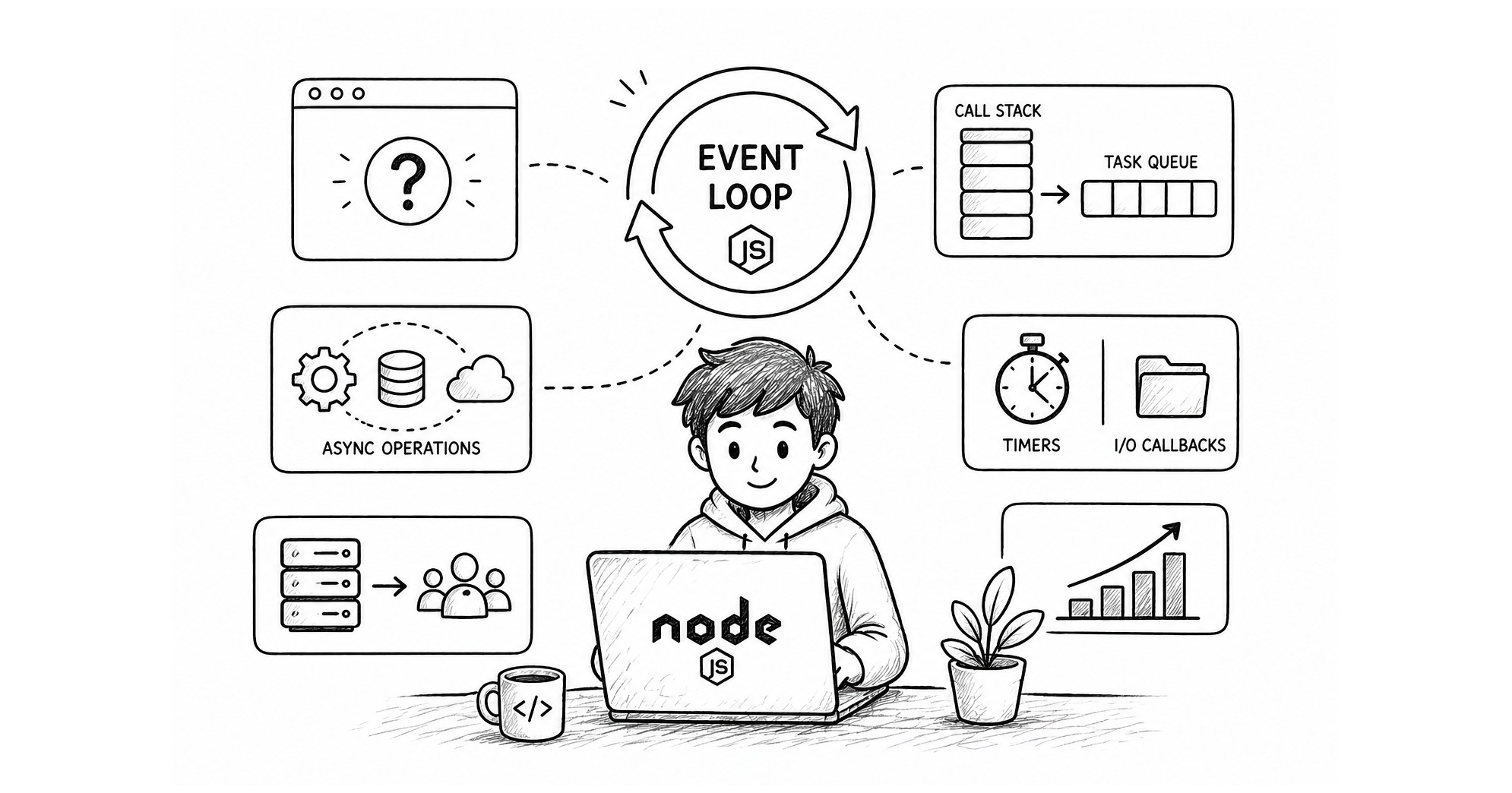
We have discussed about the internal architecture of Node.js in great details in earlier blogs.
In this blog, out aim is to understand the one key factor which decides what task to take up and when to take it up and gives Node.js the taste of being asynchronous.
What is the problem ?
Node.js unlike traditional environments like PHP and Java runs on a single thread by default which means it cannot achieve parallelism. If one user has made some request like reading the contents of a big file, then it is going to take some time doing it and since it is on a single thread, ideally Node.js should not take any other requests until the current user task is over. Such action shall take a major hit on it' s performance.
Hopefully Node.js has a smart solution to this problem, it decides to not wait to complete any work but outsource it's work to the OS kernel for the heavy lifting while it attends more users.
What is Event loop ?
You can always jump into the technical definition of event loop, but in layman terms, consider event loop to be like a manager, who is efficient in managing a lot of people. The event loop does not work itself but decides who should work and when they should work. The event loop also decides what should run next.
The work of event loop is to keep the work smooth and going.
Why Node.js needs an event loop ?
In earlier section we understood that node.js outsources the heavy lifting to the OS. It does this through libuv library which has a thread pool and communicates with the OS. Now there are different tasks that can take time such as :
timers
reading/writing files
cpu intensive operations (e.g. hashing)
All these tasks are provided to libuv library which coordinates with the OS to complete the task and once it is done then notify node through events.
Now the problem that arises here is who should handle all these operations? Who makes sure that Node.js is not busy waiting for the tasks to complete but attends other requests while the tasks are being done, who decides how to handle the tasks that are complete and guide Node.js to take action. This needs an efficient manager. which is Event Loop provided by libub library.
Task Queue vs Call Stack
Node.js consists of :
V8 Engine
Node Bindings
libuv
The V8 engine is responsible to execute JS code, manage function calls and keep track of execution order. It does this using Call Stack.
Call Stack It is part of the V8 JavaScript engine and ensures that the single-threaded environment of Node.js knows which function is currently running and where to return after a function completes.
Once a particular task is complete then the callback attached to that task needs to be stored so that event loop can pick it up and take it to Call Stack for execution, that very place is Task Queue
Task Queue is provided by the libuv library. This is where async callbacks are stored after completion. These are not handled by V8.
How async operations are handled ?
Node.js runs on a single thread by default, so when ever it gets a task which is blocking in nature, it would send it away to libuv to handle. Libuv has a thread pool and talks with the OS of the device to get the tasks done. While all of these is happening in the background, node does not wait for the response, but it moves to handle some other request.
Once the task is completed by the libuv, then the callback associated with it is added in the task queue. From the task queue, it is the role of Event loop to check for an empty call stack and push the callback from the task queue to the call stack.
Once the callback is in call stack then node.js simply executes that code. Most of these activities happen in the background while node.js keep on running more and more requests, giving the feeling of async operations.
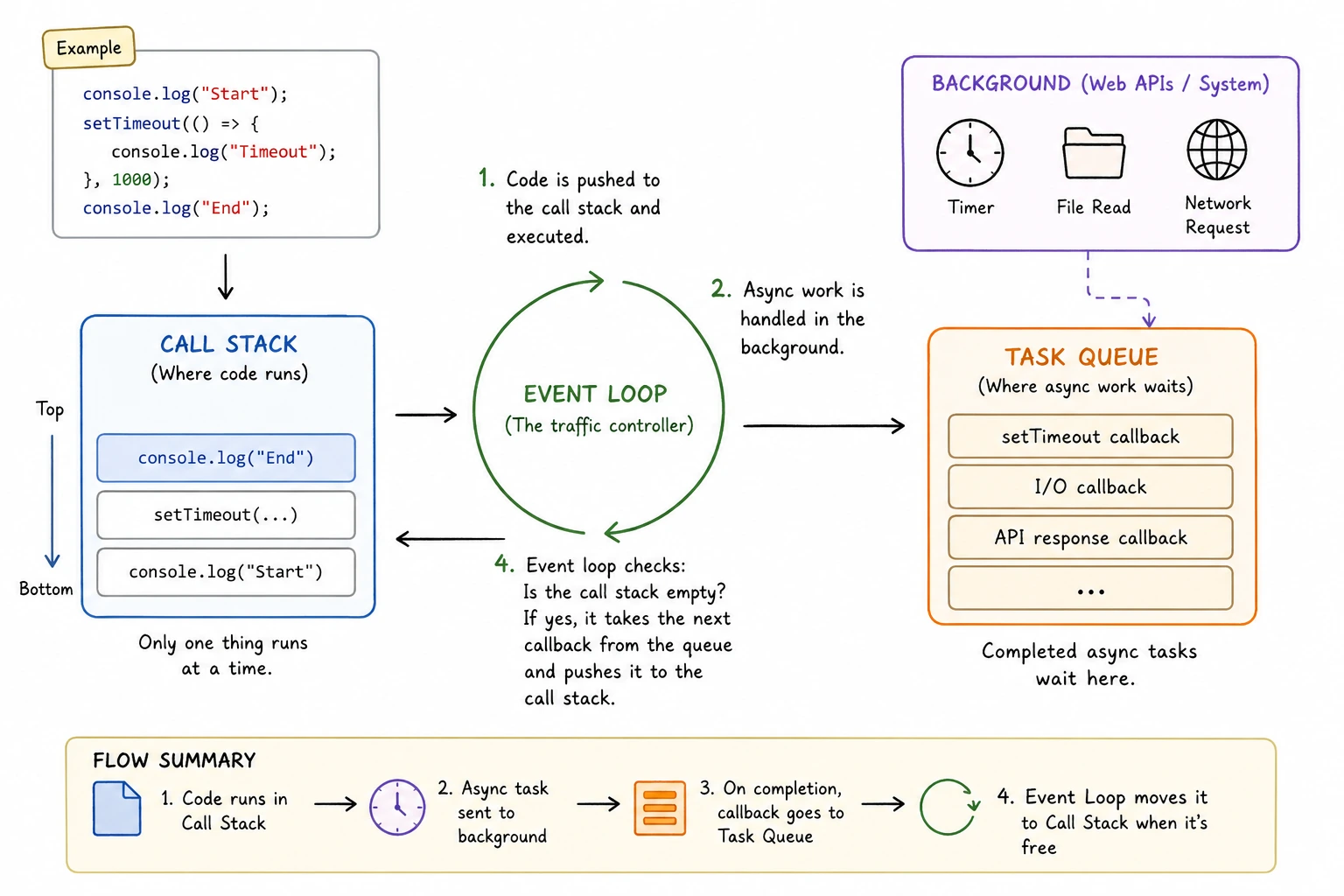
Here’s the real flow:
V8 runs your code in the call stack
You trigger async work (
fs.readFile,setTimeout)Node.js (libuv) handles it in background
Once done → callback goes into task queue
Event loop moves it → call stack (V8 executes it)
Timers vs I/O callbacks (high level)
Not all async tasks in Node.js behave the same way. Two of the most common types you’ll encounter are timers and I/O callbacks—and they follow very different rules.
Timers (Scheduled, Not Guaranteed)
Timers are created using functions like setTimeout() and setInterval().
When you write:
setTimeout(() => console.log("Hello"), 100);
It’s easy to assume:
“This will run exactly after 100ms.”
But that’s not how it works.
Instead, Node.js does this:
It records the delay (100ms)
Moves on to other work immediately
When the Event Loop comes back to the timers phase, it checks:
“Has at least 100ms passed?”
If yes, the callback becomes eligible to run otherwise it waits for the next cycle
Important: Timers guarantee a minimum delay, not exact timing.
📁 I/O Callbacks (Completion-Based)
I/O operations include things like:
Reading files
Database queries
Network requests
Example:
fs.readFile("file.txt", () => {
  console.log("File read done");
});
Here’s what happens:
Node.js hands the task off to the system
The Event Loop keeps running other code
Once the operation actually completes, the callback is queued
Unlike timers, this is not time-based. It runs as soon as the work is finished and picked up by the Event Loop.
| Timers ⏳ | I/O Callbacks 📁 |
|---|---|
| Based on time delay | Based on task completion |
| “Run after at least X ms” | “Run when done” |
| Checked in timers phase | Usually processed after completion (poll phase) |
Role of event loop in scalability
Traditional servers often follow a simple model where each request is handled by each thread. The thread stays busy until the work is done. Now this is great when the user base is quite low, but imagine 1000 users hitting the server at the same time, this would be such an memory intensive task.
The Event loop is a game changer, it allows Node.js to run on a single main thread and not wait for slow operations by offloading heavy work to the system and Node.js can focus more on accepting new requests while old ones are still processing. This scales well because of minimal thread overhead and better cpu utilization. The event loop smartly handles callbacks and takes them from the task queue from each phase and push into the call stack for executions. This ensures that the system is always doing something useful instead of waiting.
Conclusion
In this blog, we have understood Event loop from a higher level, next we would understand in depth how Event loop behaves in different phases and guessing some output based scenarios.


