Understanding Networking Devices
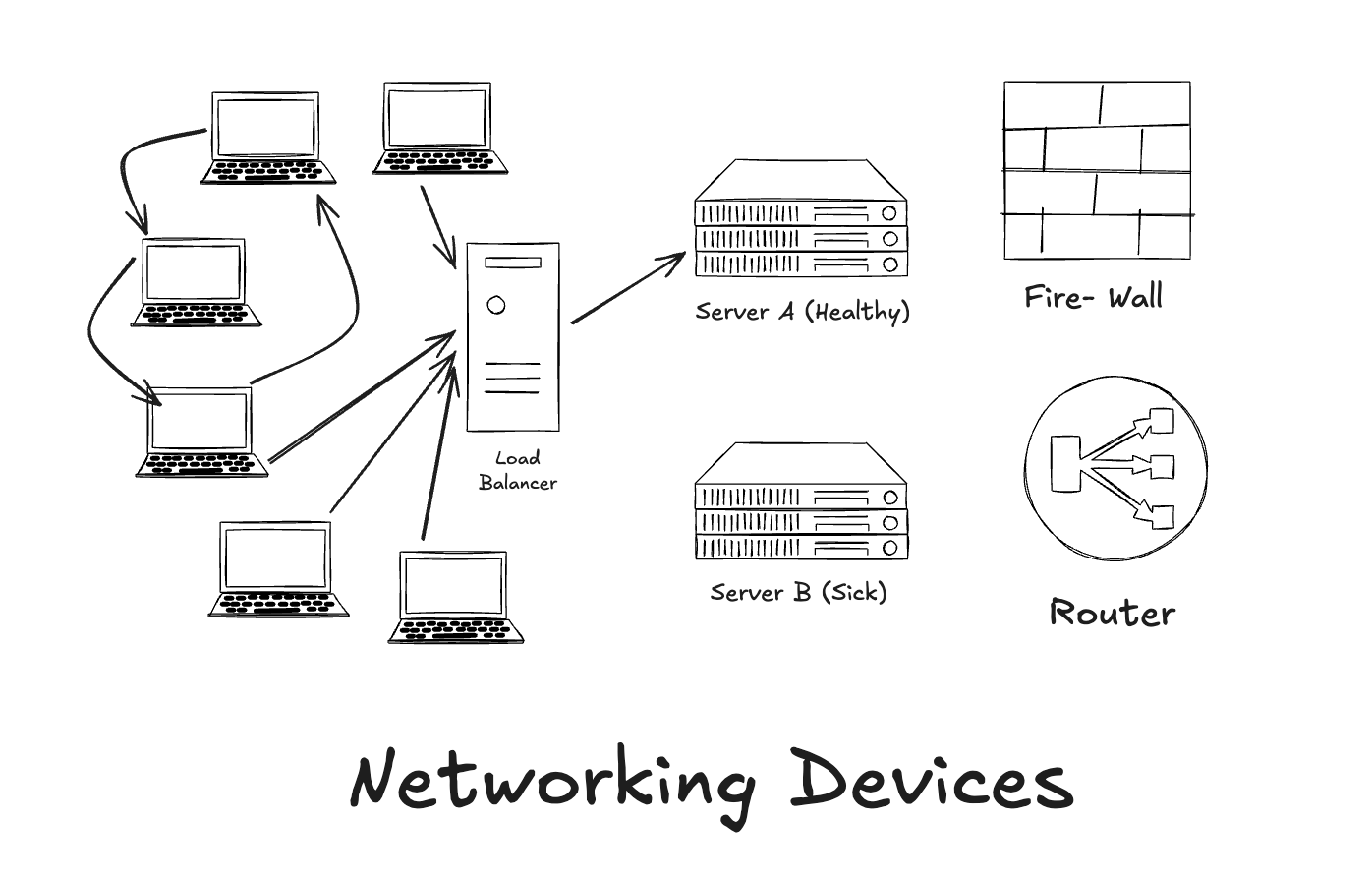
Before diving into networking devices, we need to understand what does term like network, internet actually mean, then we would look at some most commonly used networking devices that we hear of in our day to day life and then understand a high level overview of what they are and what are they used for.
What is a Network and the Internet?
The word network literally means a group or system of interconnected things. When two or more people try to communicate their thoughts they form a network.
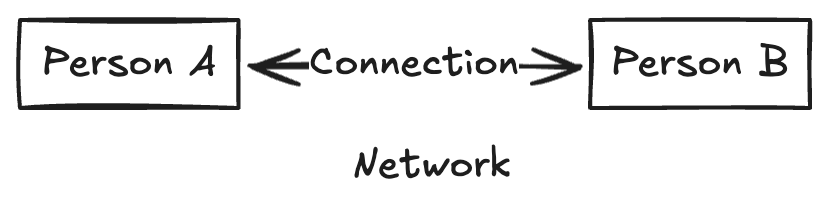
When two or more people try to communicate with each over a global computer network providing a variety of information and communication facilities, using standardised communication protocols then that is called the Internet. In short Internet is just globally connected network.
Types of Networks:
Personal Area Network (PAN): It connects a few devices like the smartphones, laptops etc within a very small area, for personal use often wirelessly using bluetooth or USB. It’s a low-power, short-range network.
Local Area Network (LAN): It connects devices like computers, printers and phones over a small limited area such as office. allowing different people to share resources like files, internet etc. The sharing is usually done using ethernet or Wi-Fi
Metropolitan Area Network (MAN): It connects multiple LANs across a city or large campus, acting as a middle ground between smaller LANs and larger Wide Area Networks to provide high-speed data, video, and voice services across a defined geographic area like a city
Wide Area Network (WAN): It connects computers and smaller networks (like LANs) over large geographical areas such as cities, countries or globally allowing data to be widely shared even in the most dispersed locations.
What are Networking Devices?
Networking devices are simple physical machines which are required by two users to communicate with each other over the internet.
Commonly used Networking Devices:
There are a lot of networking devices that act as bridge between you and your friend sitting on the other side of laptop screen, the most common ones are as follows:
MODEM: A modem is a short form used for the combination of words like
ModulationandDemodulation. Modulation is the process of converting analog signals to digital signals and demodulation is the process is converting the digital signals back to analog signals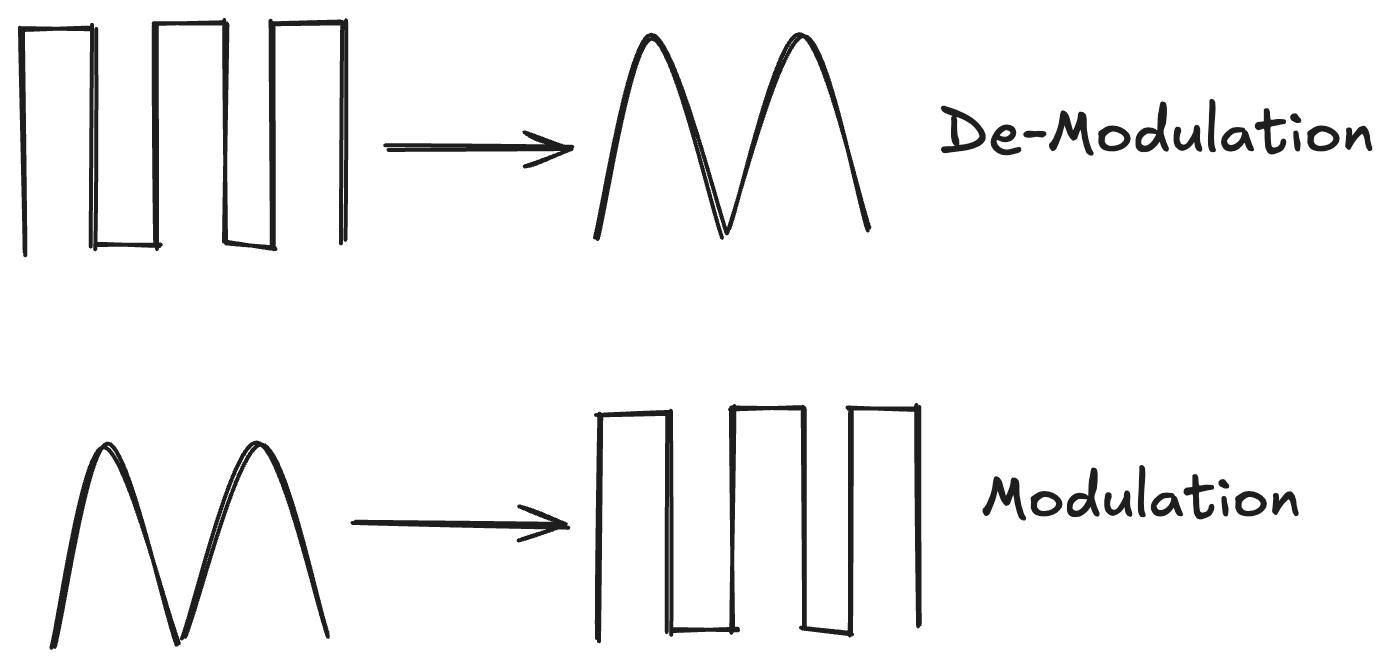
You receive the data you requested in internet from your
Internet Service Provider(ISP) which are in the form of analog signals. However your digital devices cannot process analog signals but require digital signals hence the modulator converts it to their specifics and when the digital devices need to send something to some other device through ISP then we need to convert it back to analog signals which requires demodulator. The combination of these two is called MODEM.ROUTER: A router is a network device responsible for routing traffic between different networks. It receives packets from one network (such as the internet) and determines which network those packets should be forwarded to next, based on IP addresses and its routing table.
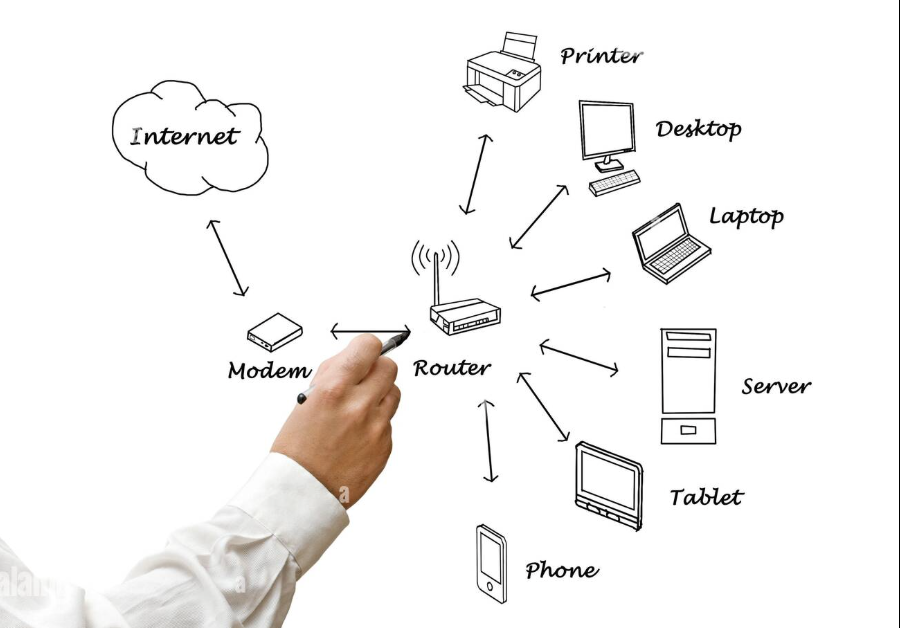
In a home network, the router acts as the gateway between the local network and the internet and assigns private IP addresses to devices within the local network using DHCP. However the actual delivery of packets to individual devices is performed by the switching or wireless components, not by routing logic itself.
In small-scale or residential networks, it is common to use a single device that combines the functionality of both a modem and a router. While these devices are packaged together for convenience, the modem and router are fundamentally separate components with distinct responsibilities.
SWITCHES: Switch as the name suggests is used to direct data to a specific device in the same local network after the routing logic has determined the destination network. It also works when the communication is entirely within the local network itself.
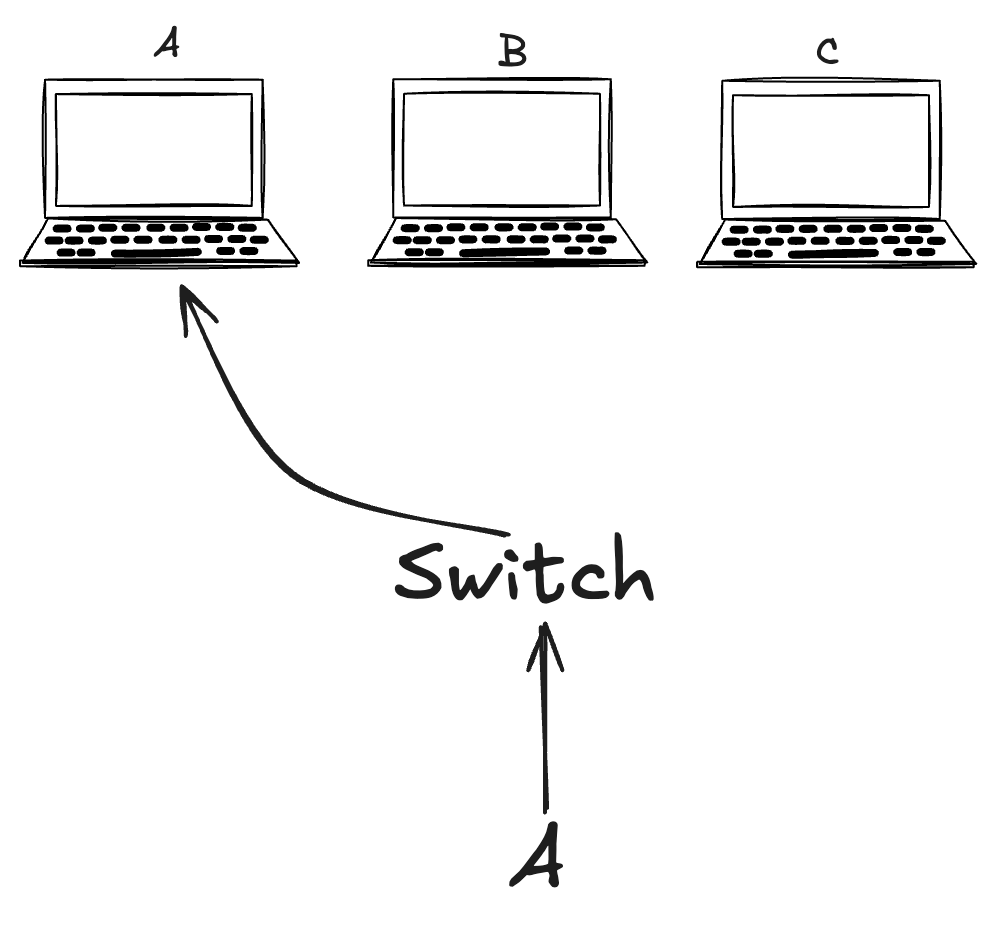
It works by learning the MAC addresses of connected devices and forwarding data frames to ports associated with the recipient. The forwarding is targeted hence makes switches fast, secure, and efficient in their use of bandwidth.
Switches solely focus on delivering data accurately and efficiently within a single network.
HUB: Hub is a networking devices which does opposite of what a switch is intended to perform. Whenever a hub receives some packet, it sends it to all the connected devices in the network regardless of the intended recipient. Because it sends data to all the devices connected in the network, it is not very secure and has a slow performance.
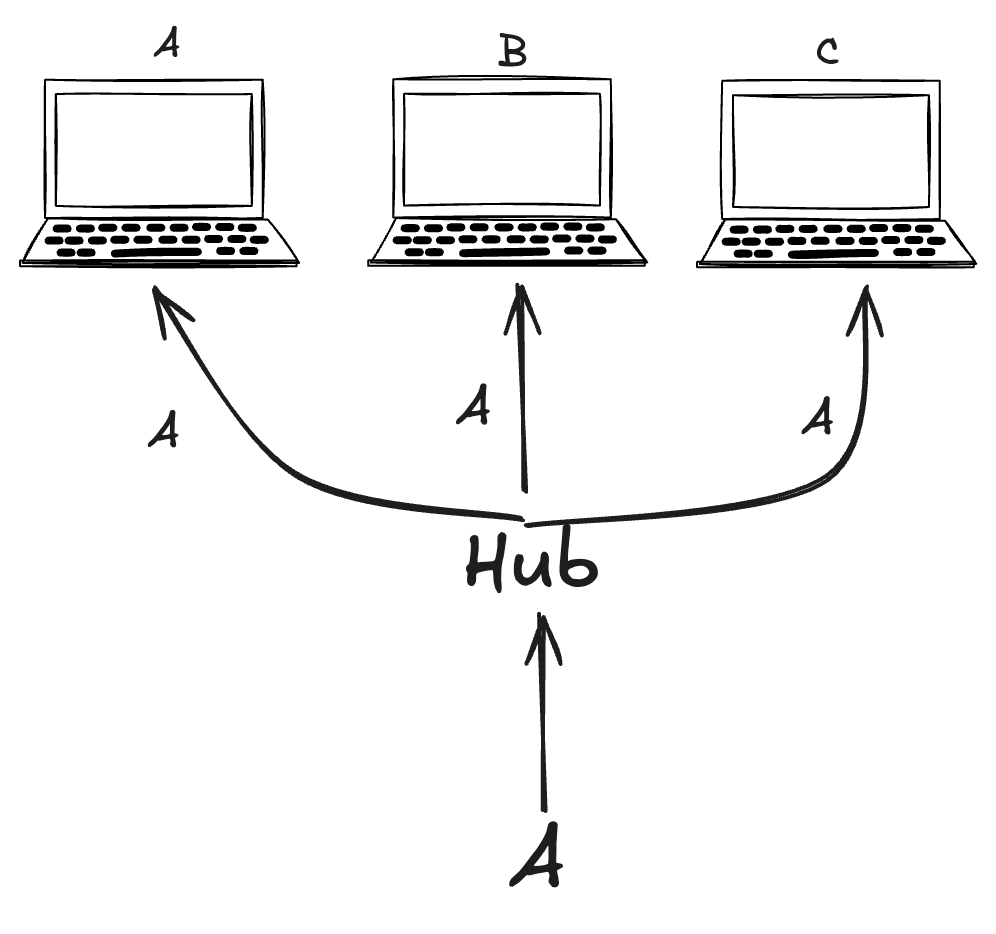
Due to their poor performance and lack of security, hubs are largely obsolete and have been replaced by switches in modern networks and are rarely used in modern networks.
FIREWALL: Firewall like the name suggest, acts as a wall which is not easy to pass through could be a network security device or a software that is between two networks and controls traffic based on defined set of rules.
A firewall’s job is to inspect traffic and decide whether to allow it or block it and often times log the traffic as well. It performs this action by inspecting metadata, such as
Source IP address
Destination IP address
Port number (e.g. 80, 443, 22)
Protocol (TCP, UDP, ICMP)
Connection state
Security lives at the firewall because the Firewall is the first line of defence between the internet and your router as every packet entering or leaving your network must cross the firewall first. It stops threats from the internet before devices ever see them.
Once again in most modern devices, the router and the firewall are usually the same device.
LOAD-BALANCER: As the name suggests, a load balancer is a networking device or a software which is used to balance load between different machines receiving data. It is mostly sitting in front of a group of servers to decide the distribution of the incoming traffic among healthy servers.
The Load balancer acts as a single entry point between clients and multiple backend servers behind the scenes.
Without a load balancer, all traffic may be directed to a single server, potentially overwhelming it. Additionally, if that server becomes unavailable, client requests would continue to fail despite other servers being capable of handling the traffic. A load balancer prevents this by intelligently routing requests only to healthy servers.
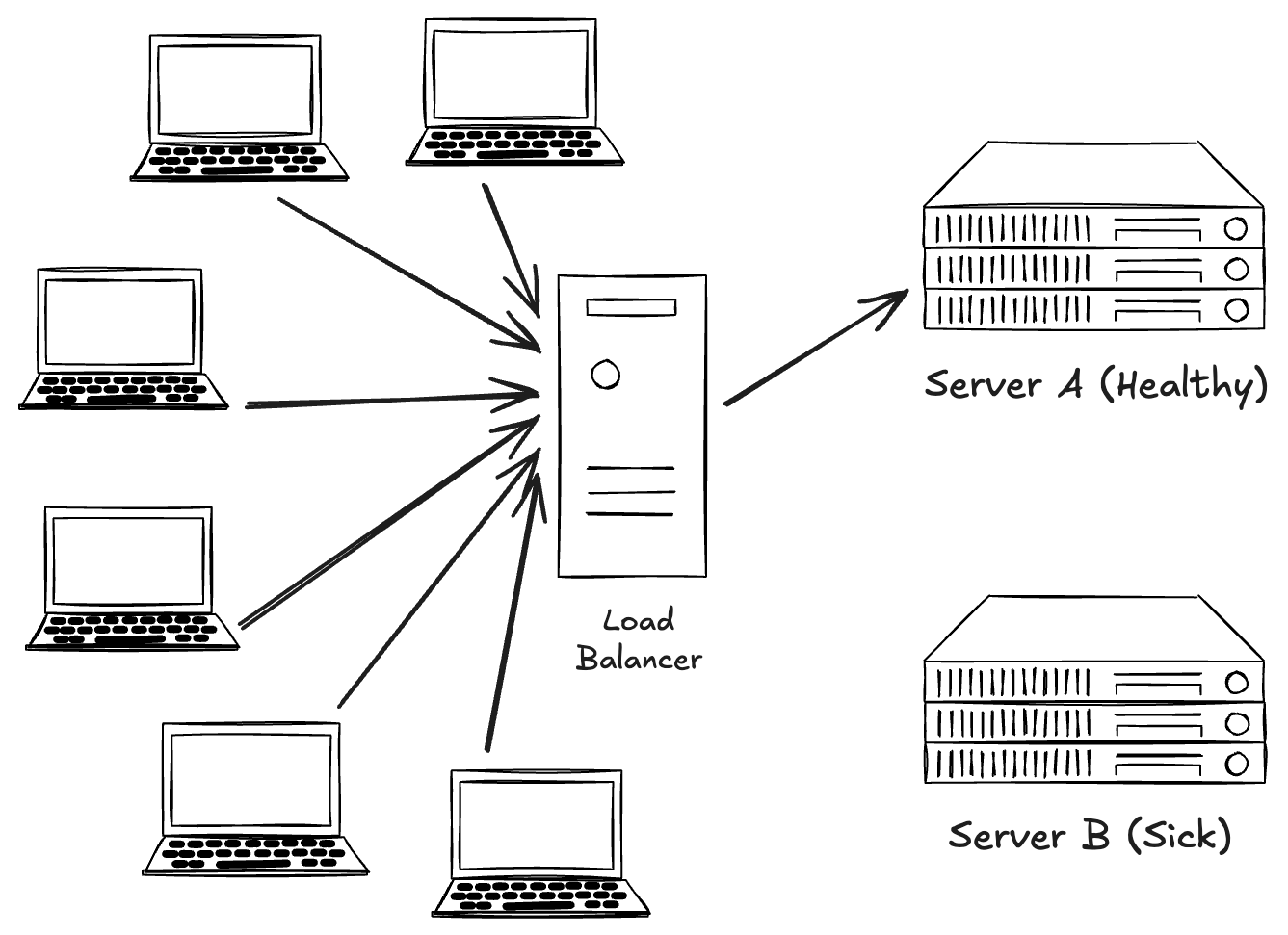
Scalable systems require load balancer because as an application keeps growing in users, it would require more than one server to work properly but the users are not aware what servers are free or healthy, a load balancer is the one that decides it. It distributes traffic fairly between servers so as to prevent them from getting overwhelmed.
Real World Analogy
Now that we are aware of the different devices commonly used in the networks, we need to understand how they co-ordinate with each other to let you send your friend a message from your system to theirs.
When you send the message from your machine, the data begins its journey in your local network. Your machine hands the message to a switch which in turn forwards it to the intended recipient i.e. router. The router now examines the destination IP address of the message and checks in the local network and concludes that the message needs to leave the local network.
Once the data leaves your network, it has to pass through the firewall which inspects the traffic and ensure different security policies and blocks any packet which fails to comply.
The data is then passed to the modem, which converts the digital data into signals suitable for transmission over the ISP’s medium (such as electrical, optical, or radio signals). The message now travels across the internet, potentially passing through multiple routers, until it reaches your friend’s network. At the destination, a load balancer may first receive the traffic and distribute it to an appropriate, healthy server or service instance if required.
Finally, once the message enters your friend’s local network, the modem converts the incoming signals back into digital data and forwards it to the router. The router delivers the data into the local network, where a switch forwards it to the exact port connected to your friend’s device, completing the communication.


