Understanding Objects in JS
You would have often heard JS programmers saying that everything in JS in an object, and in case you haven't this is the perfect blog for you to help you get started with saying the same line.
What are Objects?
Objects are nothing fancy but simply a data structure which is used to store related data and functionality together as key-value pairs.
Each value in the object is associated with a key (called a property) which allows you to access or modify the data easily.
const person = {
  name: "Saurav",
  age: 25,
  city: "BBSR"
};
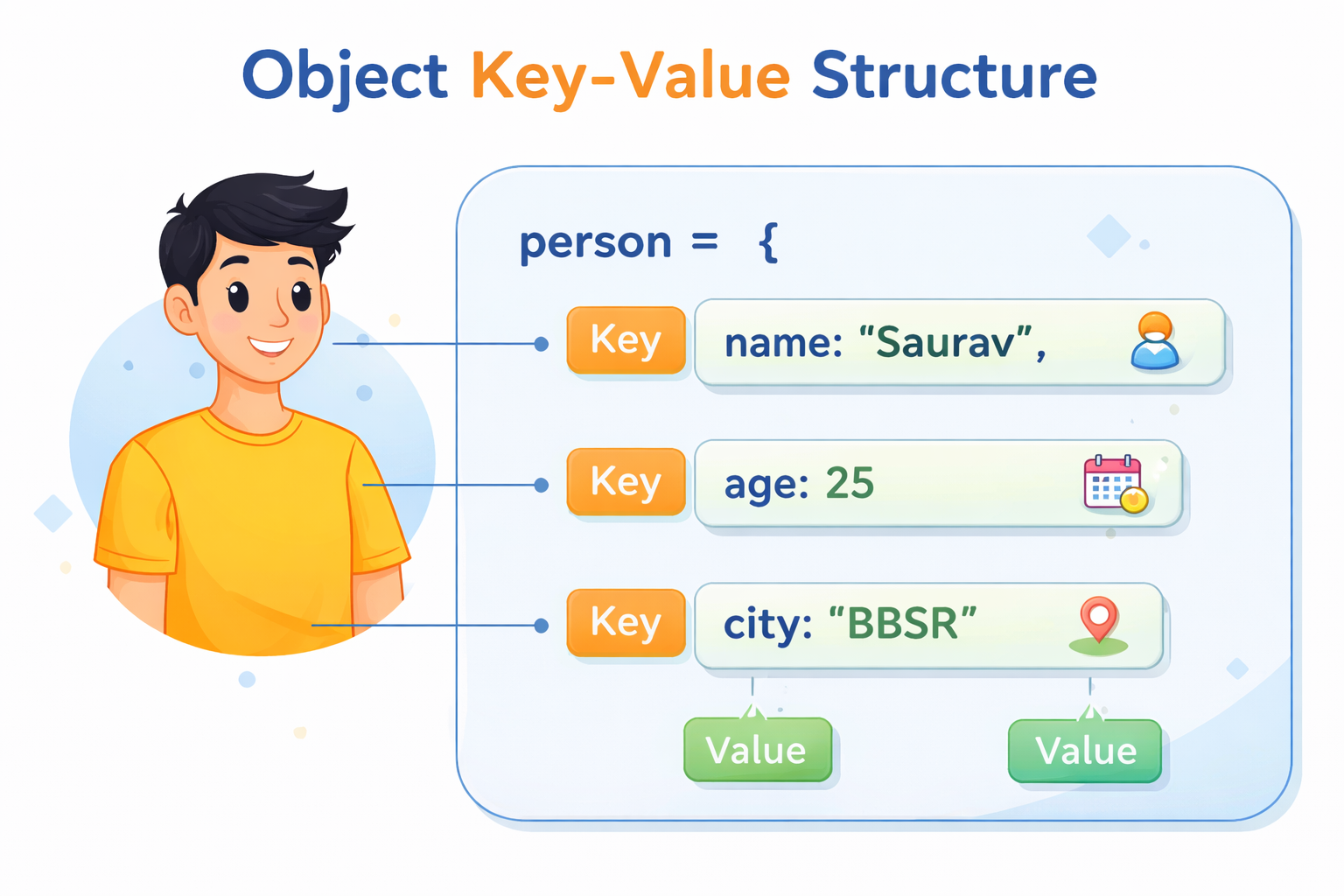
In the above code block name age city are keys and Saurav 25 BBSR are values.
Objects are capable of storing even functions
const user = {
  name: "Saurav",
  greet: function() {
    console.log("Saurav says hello!");
  }
};
The key idea behind objects was to represent real-world entities. It will have attributes of that real world item and the functions that it can perform.
Creating an Object
Objects in JS can be created in multiple ways, we would be discussing them.
Object Literal (most common)
Creating objects using object literals is the easiest and most widely used way. In this you create an object by assigning key value pairs within a pair of curly braces {}.
const person = {
  name: "Saurav",
  age: 25,
  city: "Delhi"
};
Using new Object()
In this you would create an empty object first and then add properties inside that object.
const person = new Object();

person.name = "Saurav";
person.age = 25;
person.city = "Delhi";
person["happy life"] = true;
Using a Constructor Function
Suppose you have a blueprint of the object that you would like to create and want to create multiple objects with variations, then the above methods aren't the best way to do that. In such a scenario you go with this method.
function Person(name, age) {
  this.name = name;
  this.age = age;
}

const p1 = new Person("Saurav", 25);
const p2 = new Person("Rahul", 30);
Using Object.create()
The Object.create() static method creates a new object, using an existing object as the prototype of the newly created object.
const animal = {
  canFly: false,
  introduce() {
    console.log(`I am a \({this.type}. Can I fly? \){this.canFly}`);
  },
};

const bird = Object.create(animal);

bird.type = "Parrot";   // property added to bird
bird.canFly = true;     // overriding inherited property

bird.introduce();       // I am a Parrot. Can I fly? true
Updating Object Properties
Now that we have learnt ways to create JS objects, it is time to update the properties that those objects have, There are multiple ways to do the same.
Using dot notation
THis is the most common way to update an object property. You access a property of the object by using dot and then assign a new value to the key.
const person = {
  name: "Saurav",
  age: 25
};

person.age = 26;

console.log(person);    // { name: "Saurav", age: 26 }
Using bracket notation
I often use this way over dot when the key that I am trying to update has space in it.
const person = {
  name: "Saurav",
  age: 25
  "is male": true
};

person["name"] = "Mooi";
person["is male"] = false;

console.log(person);    // { name: "Mooi", age: 25 , "is male": false}
Adding Properties
What happens if you try to update a property that does not exist? In such a case JS will create it and assign the value to it. You can do that using the dot notation or the bracket notation, both shall work.
const user = {};

user.age = 25;
user["name"] = "Saurav";

console.log(user);        // { name: "Saurav", age: 25 }
Deleting Properties
In JavaScript, you can delete a property from an object using the delete operator. You can use the dot notation or bracket.
const person = {
  name: "Saurav",
  age: 25,
  city: "Delhi"
};

delete person.age;
delete user["city"]
console.log(person);    // { name: "Saurav" }
delete removes the property, not just the value.
//for the above code example, after deleting age, if you access it

console.log(person.age)    // undefined
Now some people including me did think that maybe I can assign undefined to a property and that would delete it, but that is not the case, it only changes the value while the key still exists in the object.
const obj = {
  a: 10,
  b: 20
};

obj.a = undefined;

console.log(obj);    // { a: undefined, b: 20 }
Iterating through object keys
In JavaScript, you can loop through the keys of an object using methods like for...in or Object.keys().
Using for...in loop
const person = {
  name: "Saurav",
  age: 25,
  city: "Delhi"
};

for (let key in person) {
  console.log(key);
}

//output
//name
//age
//city
Using Object.keys()
Object.keys() returns an array of keys, which you can then loop through.
const person = {
  name: "Saurav",
  age: 25,
  city: "Delhi"
};

Object.keys(person).forEach(key => {
  console.log(key);
});

//output
//name
//age
//city
Objects vs Arrays
Objects and Arrays are both data structures in JS. While arrays are designed to store ordered lists of values accessed by numeric indexes, objects organize data using meaningful property names, making the data easier to understand and work with. Choosing between an array and an object depends on the type of data you are working with
The key differences between the two are:
| Feature | Array | Object |
|---|---|---|
| Purpose | Stores ordered collections of values | Stores key–value pairs |
| Key type | Uses numeric indexes (0,1,2...) | Uses string or symbol keys |
| Order | Elements have a fixed order | Properties are not primarily index-based |
| Access method | arr[index] |
obj.key or obj["key"] |
| Use case | Lists of similar data | Structured data about an entity |
Conclusion
In summary, objects in JavaScript provide a convenient way to represent structured data using key–value pairs, which makes them ideal for modeling real-world entities.


